[size=-1]
Image Generators[size=-1]Click on an Image to be Taken to that Generator
.[size=-1]Free Image Hosting [size=-1]Once you have generated your image(s), you can upload them to the RedKid.Net Server for easy access. After the upload, copy and paste the URL's to your website, messageboard, email, etc., or if you prefer, hot link to the image. All necessary code is provided upon upload. This is a free service. Enjoy!
.
[size=-7].[size=-1]
Sign Generators [size=-1]These generators allow you to customize the text of various things. Type in your message and the image is created for you to do with as you please.
.[size=-1]
RedKid.Net ASCII Artist [size=-1]This program changes images into text. You can choose several different options like color or monochrome, fixed character or random, and high or low quality. Once your image is rendered, you can copy and paste it.
[size=-7].
.
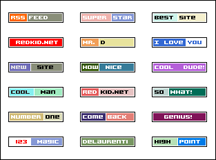
[size=-7]..[size=-1]Button Generator [size=-1]With this tool, you can create "80x15 brilliant buttons", also known as "antipixel buttons" or "badges". These are quite popular with bloggers, and will look great on your website as well.
.[size=-1]Avatar Maker [size=-1]Select an avatar and customize it with your name or any text you like. You can then save the image nd use it on messageboards or however you like. Currently there are 80 avatars to choose from, but many more will be added in the weeks to come.
.

[size=-1]Image Merge [size=-1]A very flexible program that allows you to create images of different sizes. First, you select a background image or block of color, then you add images and text until you have what you are looking for. There are several backgrounds and images to choose from. You are also free to upload images from your hard drive for merging. When you are finished creating the image, download it as a jpg, save it as a pdf, or email it to someone.
.[size=-1]Freeway Sign Maker [size=-1]This is a fun little tool that allows you to create freeway signs. Choose markers from any state. There are many customization options. To save the image, however, you must do a screen capture.
[size=-7].
.
[size=-1]Smiley Sign Generator [size=-1]Pick your favorite smiley and customize its sign with your own message. Perfect for posting to bulletin boards, blogs, and webpages. Download the image directly, or click Save image and create link and copy the BBcode, HTML, or MySpace code.
...

.......[size=-1]RedKid.Net Banner Maker [size=-1]Create a banner for your website. It's easy to do! Pick a banner, type your message, and choose the color and location of your text. There are many banners to choose from and more are on the way.
.